Page Index

Subject Index

Sponsors
Coyote Hunting
Coyote Calling Example
Coyote Attacks
Varmint Hunting
17 HMR Field Testing
Deer Hunting
Many Hunting Stories
Hunt Success Stories
Make A Bi-Fur-Pod
Reloading Page
Shooting Page
Free Targets
Powder Burn Rate
Fluted Barrel Analysis
22LR Rifle & Tuner
Esten's Rifle & Tuner
Light Rifle & Tuner
Barrel Harmonic Movie
Barrel Tuner Analysis
6PPC Barrel Dynamics
Rifle Action Stress
Bat Action Analysis
Rifle Chamber Finish
Friction Test Results
Gun Rights & Politics
Bart our Black Lab
Tide son of Bart
Max our Bichon Frise
Engineering Page
Rockwell Hardness FEA
Mini Lathe Page
My Computers Page
Ham Radio Page
Home Page
My Father
Bethel Island
Backpacking
Winnemucca Lake
Online Metal Orders
Make Your Web Page
Latest Updates
View Our Guestbook
Sign Our Guestbook
Links Page
Email

varm.gif (18459 bytes)
Amateur (Ham) & Packet Radio Page

WB6YNM
My Callsign

WA6QPU
Mary Ann's Callsign

Last Updated 08/01/08

   Packet Radio is Still Alive

Callsign Lookup at QRZ.com

XPWare for Windows is now FREEWARE. You can go to http://www.glaswerks.com/xpware/
and download the program and the .exe file to register it free. The new version, XPWIN 1.3.2 is the new XPWIN.EXE that can be copied over the same file name after you have installed XPWIN 1.2.8b. Not sure how long KF7XP will keep the web page up. Get it while you can. This is the only Packet software that I have found that works well with Windows XP and Windows 95/98SE.

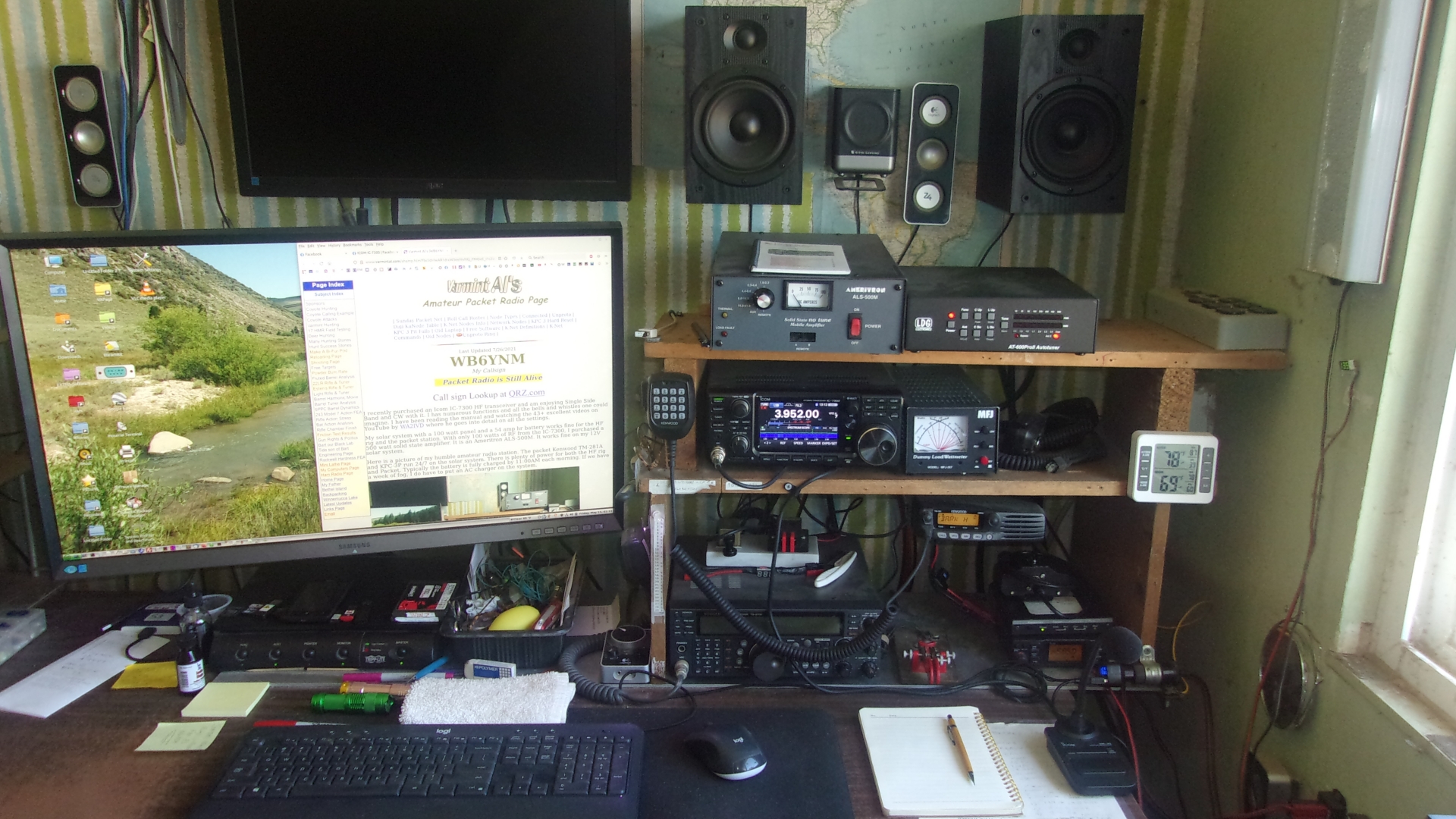
PACKET RADIO on 2 Meters.... I have three Packet Radio Stations operating 24hr/day. One station is my home station on Bethel Island and the network node is DELTA, (DELTA is not currently active with the new radios at BERRY and TRACY. It was not necessary.) a remote station at my mountain cabin, and TRACY, Mary Ann's remote station that is a network node near my cabin on Wallace Ridge. BERRY3 is a network node on Berryessa Peak running on 145.03 MHz and is connected to BERRY. All of my stations except BERRY3 are operating on Solar Power. The solar panels charge batteries during daylight hours and keep the batteries nearly fully charged. During fog or cloudy weather, I have enough battery capacity to operate about 2 weeks without sunlight.

Nevada-Sierra County A.R.E.S. Ham Radio Forum. There is a Packet Radio thread.

What is Packet Radio? Here is an excellent summary.

The Packet Stations operate full time as nodes and digipeaters so that they can relay messages for other Ham operators who wish to use them and need the signal relay capability to reach a distant station. More than one station can be used to relay messages and may be linked in a relay chain.

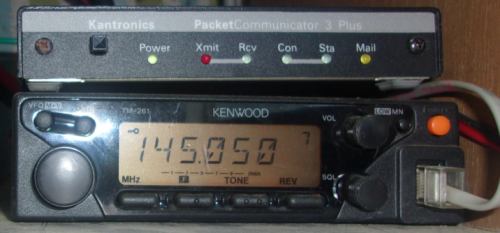
FREQUENCIES.... Packet radio operates on the 2 Meters band or Very High Frequency (VHF) at a 145.05 MHz145.03 MHz, 144.91 MHz & 144.93 MHz frequencies, and are similar to the internet, but primarily text and at a much slower transfer rate of 1200 baud. Both my Home and Cabin stations also have High Frequency (HF) transceivers that operate on the 3 to 30 MHz Ham bands on Phone and Morse Code.

Contact Information for K-Net Packet Stations
and Nodes in the Sacramento and East Bay area:

Station    MBX       Network   Node      KaNode    Location
Call       Call      Node      Call      Call
------------------------------------------------------------------------------
WB6YNM, Al - Web Page: http://www.varmintal.com/ahamp.htm
On  145.05 MHz
WB6YNM     WB6YNM-1  DELTA     WA6QPU-10 BETHEL    Bethel Island Base Station
WB6YNM-6   CBOX                          CABIN     Near Wallace Ridge
WB6YNM-10  PBOX                          TROUT     Portable Packet
------------------------------------------------------------------------------
WA6QPU, Mary Ann - Web Page: http://www.varmintal.com/amaxp.htm
On  145.05
WA6QPU-4   TBOX      TRACY     WA6QPU-5  HOWL      Wallace Ridge 15 mi S of Tracy
------------------------------------------------------------------------------
K6JAC, Jack
ON  145.05 MHz
K6JAC      K6JAC-1                                 Woodland Base Station
K6JAC-6    BBOX      BERRY     K6JAC-4   VINE      Berryessa Peak
K6JAC-8    JBOX                                    Portable
------------------------------------------------------------------------------
WD6EZC     WD6EZC-1  PINOLE    WD6EZC-5  CC4CC     Pinole 
------------------------------------------------------------------------------
KG6BAJ     GVBOX     GVCITY    KG6BAJ-2  GVARES    Wolf Peak Grass Valley 
------------------------------------------------------------------------------
W6PJD      W6PJD-1   ELDOR     W6PJD-3   GOLD      El Dorado County
------------------------------------------------------------------------------
KD6NIG     KD6NIG-1  STCK      KD6NIG-5  SSTCK     South Stockton
------------------------------------------------------------------------------
KI6NCU     KI6NCU-1  PONDER    KI6NCU-5  KPOND     Ponderosa Hill
------------------------------------------------------------------------------
KG6WOO     KG6WOO-1  PLUMAS    KG6WOO-5  KPLUM     Quincy
------------------------------------------------------------------------------
K6RDJ-9    OBOX      BULL      WA6QPU-8  KBULL     Bullion Mtn         
------------------------------------------------------------------------------
K6TUO-4    ----      TUO       K6TUO-5   KTUO      Calavaris County
------------------------------------------------------------------------------
W6JEX      W6JEX-4   CORN      W6JEX-5   KCORN     Corning
-------------------------END--------------------------------------------------

Give Packet Radio a try.... A PC or Laptop, TNC, and a 2m HT and you can enjoy the fun of Packet Radio.


Google
 
Web www.varmintal.com

Connecting to your Packet Radio station from the Internet

It is possible to read your packet MBX from anywhere in the world that you can connect to the Internet. First, you will need the PuTTY.exe program. It works very much like the Telnet.exe program that comes with Windows, and it does not have the buffer over run problem that Telnet.exe has. Here is where you can download PuTTY.exe. It is about 350 Kb in size. Download PuTTY.exe here. Download Site Here. Once you have the file, double click on PuTTY.exe and it will fire up a screen. If you want to connect to your packet station in the Bay Area of California, put benicia.ampr.org in the Host Name Blank and click on Open button. It will ask you for your ID, which is your callsign. Your password will be your first name. That will connect you to the BENCA network node on 145.05 MHz. From there you can connect to one of the NetWork nodes like BERRY. The command is C AX3 BERRY. Once connected to BERRY, you can connect to any node in the node table listed at BERRY and connect to that node that will connect to your MBX. Or, you can connect to a station for a kbd-kbd QSO. Here is a hidden feature, or at least if was hidden from me. If you want to send message that contains a long file, copy it to the clipboard. Then type in the address you want to send it to. Type in the Subject. When you get the Enter Message response, merely RIGHT CLICK on the cursor in the PuTTY window and Voila it pastes in the message.


Here is a screen shot of connecting to gvcity.ampr.org. When you run it, click on Open.


Network Nodes on 145.05 144.93 144.91 MHz

Packet Net Work Nodes in Central California
Node Route Tables as of 7/16/2008
The listings show most of the nodes one can connect to.
BERRY:K6JAC-4} Routes:
1 WA6YNG-1 193 11!
1 WA6QPU-5 192 2!
1 KK7VO-2 120 2
1 KG6WOO-5 192 5!
1 KD6NIG-5 192 3!
1 K6TUO-5 193 8!
1 K6JKC-5 120 1
1 KF6DQU-8 192 8!
1 KG6BAJ-2 180 5!
1 W6JEX-5 192 11!
1 WH6IO-7 0 0!
1 K7WWA-8 190 1!
1 K7WWA-6 190 2!
1 N1OES-4 180 5!
1 N7LPT-1 160 3!
1 WG6D-8 192 2!
1 W7TA-4 121 1!
1 W6PJD-3 0 0!
1 KI6NCU-5 180 1!
1 WA6QPU-8 193 4!
TRACY:WA6QPU-5} Routes:
1 WA6QPU-8 80 0!
1 K6JAC-4 193 18!
1 W6PJD-3 190 0!
1 K6TUO-5 192 8!
1 WG6D-8 160 2!
1 KD6NIG-5 0 0!
1 KG6WOO-5 0 0!
1 WA6YNG-1 0 0!
1 KG6BAJ-2 0 0!
1 WH6IO-7 0 0!
1 W6HMT-7 0 0!
1 N6QDY-5 0 0!
1 K7WWA-8 0 0!
1 K7WWA-6 0 0!
1 KI6NCU-5 192 5!
1 KF6DQU-8 0 0!
1 W6JEX-5 0 0!
BULL:WA6QPU-8} Routes:
1 K6JAC-4 194 19!
1 KD6NIG-5 192 4!
1 WA6QPU-5 0 0!
1 K7WWA-6 0 0!
1 WH6IO-7 0 0!
1 W6JEX-5 0 0!
1 K6TUO-5 192 8!
1 KF6DQU-8 0 0!
1 KI6NCU-5 0 0!
1 WA6YNG-1 0 0!
RDG:WA6YNG-1} Routes:
0 WOLF:N1OES-4 190 9
0 HANEY:WB6YZF-7 190 1
0 MODOC:K6JKC-5 190 1
0 KENO:KK7VO-2 190 2
0 BANNER:KF6DQU-8 190 10
0 TRACY:WA6QPU-5 190 3
0 CAM05:WG6D-8 190 8
0 TUO:K6TUO-5 190 1
0 BERRY:K6JAC-4 190 22
0 CORN:W6JEX-5 190 19
CAHTO:K7WWA-8} Routes:
0 KA6ROM-1 192 0 !
0 SKUNK:K7WWA-6 192 4 !
0 RDG:WA6YNG-1 192 10 !
0 KA6ROM-2 192 0 !
0 KA6ROM-3 192 0 !
0 KB6ZJS-2 192 0 !
0 K6TAM-1 192 0 !
0 BERRY:K6JAC-4 192 18 !
0 BANNER:KF6DQU-8 192 8
0 TRACY:WA6QPU-5 192 3
SKUNK:K7WWA-6} Routes:
0 CAHTO:K7WWA-8 192 5
0 RDG:WA6YNG-1 192 10
0 BERRY:K6JAC-4 192 18
FOT:KB6ZJS-2} Routes:
0 EKA:KA6ROM-2 10 1
0 KLMTH:KA6ROM-3 10 1
0 GBV:KA6ROM-1 10 1
0 CAHTO:K7WWA-8 10 1
YRGTN:N7LPT-1 Routes:
0 LASSEN:K6LRC-1 192 5
0 RNO:W7TA-4 192 5
0 TRACY:WA6QPU-5 192 20
0 PVNPK:N7PLQ-1 192 3
YREKA:KJ6RA-3} Routes:
0 KENO:K7DDI-2 192 31
0 MODOC:K6JKC-5 192 31
0 KLMTH:KA6ROM-3 192 6
RNO:W7TA-4} Routes:
0 LASSEN:K6LRC-1 192 4
0 YRGTN:N7LPT-1 192 4
0 BENCA:WH6IO-7 192 1
LASSEN:KJ6MD-2} Routes:
0 ALM:K6LRC-2 100 1
0 PLUMAS:KG6WOO-5 100 1
0 MODOC:K6JKC-5 100 1
0 RNO:W7TA-4 100 1
0 YRGTN:N7LPT-1 100 1
PVNPK:N7PLQ-1} Routes:
0 LASSEN:K6LRC-1 192 1
0 RNO:W7TA-4 192 3
0 YRGTN:N7LPT-1 192 3
CAM05:WG6D-8} Routes:
1 K6JAC-4 144 22
1 N7LPT-1 144 4
0 WG6D-6 255 10
1 KF6DQU-8 144 21
1 WA6YNG-1 144 13
1 W6PJD-3 144 11
1 W6JEX-5 144 20
1 WH6IO-7 144 1
1 KD6NIG-5 144 4
  STCK:KD6NIG-5} Routes:
1 K6JAC-4 192 18!
1 WA6QPU-8 192 4!
1 WG6D-8 0 0!
1 K6TUO-5 192 8!
1 WA6QPU-5 0 0!
1 WA6YNG-1 0 0!
1 W6PJD-3 0 0!
1 KI6NCU-5 120 1
1 KF6DQU-8 120 1
HANEY:WB6YZF-7} Routes:
0 RDG:WA6YNG-1 10 1
0 KENO:KK7VO-2 10 2
0 LASSEN:K6LRC-1 10 1
KLMTH:KA6ROM-3} Routes:
0 EKA:KA6ROM-2 100 1
0 FOT:KF6SYK-2 100 1
0 GBV:KA6ROM-1 100 1
0 CAHTO:K7WWA-8 100 1
0 YREKA:KJ6RA-3 100 1
YREKA:KJ6RA-3} Routes:
0 KLMTH:KA6ROM-3 192 5
0 KENO:KK7VO-2 192 7
0 MODOC:K6JKC-5 192 19
CORN:W6JEX-5} Routes:
1 K6LRC-2 180 1!
1 WA6YNG-1 192 11!
1 KG6WOO-5 192 6!
1 K6JAC-4 194 18!
1 KF6DQU-8 192 9!
1 K6LRC-1 160 1!
1 WA6QPU-8 0 0!
1 WG6D-8 192 2!
1 KG6KPR-5 0 0!
1 WA6QPU-5 0 0!
1 KD6NIG-5 0 0!
1 KG6BAJ-2 0 0!
1 W6PJD-3 192 7!
1 N6QDY-5 0 0!
1 K6JKC-5 0 0!
1 K6TUO-5 0 0!
1 N1OES-4 192 6!
PONDER:KI6NCU-5} Routes:
1 WH6IO-7 192 1!
1 WA6QPU-8 0 0!
1 K6TUO-5 192 8!
1 K6JAC-4 192 18!
1 WA6QPU-5 192 5!
1 KD6NIG-5 0 0!
ALM:K6LRC-2} Routes:
0 PLUMAS:KG6WOO-5 100 1
0 LASSEN:K6LRC-1 100 1
0 MODOC:K6JKC-5 100 1
0 RDG:WA6YNG-1 100 1
0 CORN:W6JEX-5 100 1
ELDOR:W6PJD-3} Routes:
1 WA6TOW-1 0 0!
1 WH6IO-7 120 1
1 K6TUO-5 192 8!
1 KD6NIG-5 0 0!
1 WA6YNG-1 0 0!
1 KG6BAJ-4 0 0!
1 N6QDY-5 192 0!
1 WA6QPU-5 0 0!
1 KG6KPR-5 0 0!
1 KG6WOO-5 0 0!
1 W6JEX-5 192 11!
1 KF6DQU-8 192 10!
1 WG6D-8 192 3!
1 K6JAC-4 0 0!
1 WD6EZC-5 0 0!
1 KG6BAJ-2 0 0!
ESCL:KG6KPR-5} Routes:
1 WA6QPU-5 192 4!
1 N6QDY-5 80 0!
1 K6UCB-2 192 12!
1 KD6NIG-5 192 4!
1 W6HMT-7 0 0!
1 K6JAC-4 192 15!
1 WH6IO-7 0 0!
1 W6PJD-3 0 0!
1 K7WWA-6 80 0!
1 WA6TOW-1 0 0!
1 WG6D-8 0 0!
1 W6JEX-5 0 0!
KENO:KK7VO-2} Routes:
0 RDG:WA6YNG-1 100 1
1 KLMT:KK7VO-3 255 2
0 LKVW:KE7QP-9 100 1
0 HANEY:WB6YZF-7 100 1
0 MODOC:K6JKC-5 100 1
0 CORN:W6JEX-5 100 1
LKVW:KE7QP-9} Routes:
0 KENO:KK7VO-2 100 2
0 MODOC:K6JKC-5 100 1
WOLF:N1OES-4} Routes:
1 W6JEX-5 190 21
1 N7LPT-1 0 0!
1 KG6BAJ-2 190 7
1 KF6DQU-8 190 19
1 WA6YNG-1 190 14
1 KG6KPR-5 0 0!
1 KA6ROM-1 0 0!
1 WA6QPU-10 0 0!
1 K6JAC-4 190 21
1 KG6WOO-5 0 0!
1 WG6D-8 0 0!
1 WD6EZC-5 0 0!
1 WH6IO-7 0 0!
1 K6LRC-1 190 1
1 W6PJD-3 190 2
1 K7WWA-8 0 0!
1 K7WWA-6 0 0!
1 N6QDY-5 190 1
1 WA6QPU-5 190 1
TUO:K6TUO-5} Routes:
1 K6JAC-4 192 18!
1 WA6QPU-5 192 5!
1 WH6IO-7 192 1!
1 WA6QPU-8 192 4!
1 W6JEX-5 0 1!
1 KD6NIG-5 192 2!
1 W6PJD-3 192 6!
1 KI6NCU-5 192 3!
1 WA6YNG-1 0 1!
1 KF6DQU-8 0 2!
1 K7WWA-8 120 1
1 K7WWA-6 0 1!
KG6BAJ-2:GVCITY} Routes:
Port Callsign Qty Nod
1 N1OES-4 225 22!
1 KF6DQU-8 220 20!
1 W6JEX-5 0 0!
1 K6JAC-4 190 9!
1 WA6QPU-5 0 0!
1 WA6QPU-10 0 0!
1 N7LPT-1 120 3!
1 WD6EZC-5 0 0!
1 WH6IO-7 0 0!
3 WA7V-8 70 2!
> 4 WH6IO-8 50 2!
x 5 VK4TRS-4 50 1!
5 VK4TRS-6 0 0!
> 6 N9ZZK-5 50 1!
x 7 VE2PKT-4 50 1!
> 7 VE2PKT-5 50 3!
8 N7OO-15 50 1!
x 9 VE2RXY-4 50 1!
> 10 ZL2BAU-3 50 2!
11 AA6HF-4 50 1!
> 12 K2CAN-3 50 2!
> 13 VK7HDM-7 50 1!
> 14 N9PMO-2 50 2!
> 15 W1NGL-2 50 3!
> 16 KD4GCA-5 50 7!
PLUMAS:KG6WOO-5} Routes:
1 N1OES-4 192 10!
1 K6JAC-4 192 18!
1 K6LRC-2 161 1!
1 K6LRC-1 161 1!
1 WG6D-8 0 0!
1 WB6YZF-7 120 1
1 W6JEX-5 192 12!
1 WD6EZC-5 0 0!
1 KG6KPR-5 0 0!
1 WA6TOW-1 0 0!
1 KG6BAJ-2 0 0!
1 WA6QPU-5 0 0!
1 KD6NIG-5 0 0!
1 WA6YNG-1 160 1!
1 W6PJD-3 0 0!
1 K6JKC-5 160 1!
1 WH6IO-7 0 0!
1 N7PLQ-1 0 0!
1 WA6QPU-8 120 1
1 W7TA-4 0 0!
1 K7WWA-8 0 0!
1 KJ6RA-3 0 0!
1 KF6DQU-8 0 0!
MODOC:K6JKC-5} Routes:
0 KJ6MD-2 192 0 !
0 RDG:WA6YNG-1 192 28 !
0 K7DDI-2 192 0 !
0 KJ6RA-2 192 0 !
0 LASSEN:K6LRC-1 100 1
0 HANEY:WB6YZF-7 100 1
0 LKVW:KE7QP-9 100 1
0 KENO:KK7VO-2 100 2
0 ALM:K6LRC-2 100 1
KLMT:KK7VO-3} Routes:
1 KENO:KK7VO-2 255 6
0 KFALLS:KE7BYT-1 100 1
JOCO:WB6YQP-2} Rts: Grants Pass OR
0 MFR 192 1
0 K7DDI-3 192 1
MFR:KA0DFN-1} Routes: Medford, OR
0 JOCO:WB6YQP-2 192 4
0 KLMT:K7DDI-3 192 5
BENCA:WH6IO-7 Routes :
[JNOS-1.11f-BFHIM$]
You have 0 messages.
Area: wb6ynm (#0) >
Routes :
   Neighbour             Port  Qual Obs Dest Tries Retries Perc Irtt
   BERRY:K6JAC-4         ax3    222   5   26 0     0        0 %
   ELDOR:W6PJD-3         ax3    222   5    5 0     0        0 %
  PONDER:KI6NCU-5        ax3    222   5   16 38    5       88 %
   CAM05:WG6D-8          ax3    222   6   14 51    2       96 %
     TUO:K6TUO-5         ax3    222   5   16 0     0        0 %
   IPBEN:WH6IO-8   (BPQ) ip1    222   5   17 5329  2       99 % 3

If you can connect to any single node on the list, then in theory, you can connect to any other node on the list.
Here is an explanation of what is listed in the table. 

What the numbers mean:
BERRY:K6JAC-4} Routes:
1 K6TAM-1 192 1!
1 WA6YNG-1 196 16!
1 N6QDY-5 190 3!
1 K7WWA-8 193 13!
1 KG6POM-5 120 1!
1 W7TA-4 0 0!

The port number that is used to connect to the destination node. (Most nodes are a single port.)
The quality of the connection to the destination node. Quality >192 is exceptionally good. Good quality is 192. Poor quality is <120.
The zero quality means that the node can be heard, but cannot be connected to reliably.
The number of additional nodes that can be connected from that destination node.
The ! means that the quality numbers have been manually locked in.

Here is an example of a connect to the DELTA node and the information you can obtain about what other nodes that DELTA knows how to connect to and the order in which DELTA will attempt a connect to another node. The Bold blue print is a command that you would type. The small type is an explanation of what the DELTA response means.

C DELTA

R

DELTA:WA6QPU-10} Routes:
1 WA6QPU-5 192 4!
1 KG6KPR-5 190 2!
1 KD6NIG-5 190 2!
> 1 K6JAC-4 192 15!
1 W6PJD-3 192 7!
1 W6HMT-7 190 1!
1 W6DHN-2 192 8!
1 WH6IO-7 192 1!
1 K6UCB-2 190 0!
1 WG6D-8 190 2!
1 KG6BAJ-2 0 0!
1 KG6BAJ-4 0 0!
1 WA6YNG-1 0 0!
1 WD6EZC-5 0 0!
1 KG6WOO-5 0 0!
1 W6JEX-5 0 0!
1 K6LRC-2 0 0!
1 N6QDY-5 0 0!
1 K7WWA-6 0 0!
1 K7WWA-8 0 0!
1 N7LPT-1 0 0!

When you issue the R command the DELTA node responds with all of the routes to other nodes that it has listed. The high quality routes (192) are good solid paths with very few retries. The routes with the (190) quality are good paths, but not preferred for distant nodes. The ">" means that the route to BERRY:K6JAC-4 is currently connected.

N

DELTA:WA6QPU-10} Nodes:
AUKUM:W6HMT-7  BENCA:WH6IO-7   BERRY:K6JAC-4   CAHTO:K7WWA-8
CAM05:WG6D-8   CAM91:WG6D-6    CORN:W6JEX-5    ELDOR:W6PJD-3
ESCL:KG6KPR-5  GTN:W6DHN-2     GVCITY:KG6BAJ-2 PINOLE:WD6EZC-5
PLACE:N6QDY-5  PLUMAS:KG6WOO-5 RDG:WA6YNG-1    SKUNK:K7WWA-6
STCK:KD6NIG-5  TRACY:WA6QPU-5  WOLF:KG6BAJ-4   YRGTN:N7LPT-1

When you issue the N command you will receive a list of all the nodes that DELTA knows how to connect to. Some are neighbor nodes and can be connected to directly. Some are distant nodes and will need one or more other nodes to assist in the connect.

N BERRY

Routes to BERRY:K6JAC-4
>192 4 1 K6JAC-4
145 2 1 WA6QPU-5
144 4 1 W6DHN-2

When you issue the N BERRY command you will be informed on how DELTA will attempt to connect to BERRY. Note that the route to BERRY is already active. The first attempt will be a direct connect to BERRY. It that route fails, then the next attempt will be through TRACY:WA6QPU-5. DELTA will connect to TRACY and then ask TRACY to connect to BERRY. If that fails the next attempt will be made through GTN:W6DHN-2.

N CORN

Routes to CORN:W6JEX-5
144 4 1 W6DHN-2
144 4 1 K6JAC-4

When you issue the N CORN command you will be informed that an intermediate node is necessary to connect to CORN. DELTA will first connect to GTN:W6DHN-2 and ask GTN to connect to CORN. If that route fails, then BERRY:K6JAC-4 will be connected to and asked to connect to CORN.

N STCK

Routes to STCK:KD6NIG-5
190 4 1 KD6NIG-5
143 3 1 KG6KPR-5
137 4 1 K6JAC-4


We are members of the Berryessa Amateur Radio Klub, BARK
Roll Call every Tuesday night at 18:30 on 146.970- PL123.0
&
Western Public Service System, WPSS
Roll Call every night at 18:30 on 3.952 MHz

Varmint Al's Ham Radio Stations..
WB6YNM/R WB6YNM-1/MBX BETHEL/N
Bethel Island, CA Elevation sea level
Island No. CA-17R--Contra Costa County--CM98--

DELTA:WB6YNM-2 Network Node using a KPC-3+ running K-Net 8.3N Firmware on 145.05 MHz serving the East Bay and San Joaquin Valley
Solar powered station 3+ amp charge (bright sun) into 2 large RV batteries
VHF KPC-3, IC-281H 50 watts, Diamond F23 vertical antenna 7.8 dB gain
HF Kenwood TS-50S 50 watts, trapped 160/80/40 meter dipole & 10/15/20 meter beam
KaGOLD software, V9 when the computer is on (AC power for the computer)
All three stations can be operated with only battery power using my laptop computer.

BERRY:K6JAC-4 Network Node Using K-Net Firmware on 145.05 MHz serving the Sacramento Valley.
It is part of the BARK radio club's installation and run by Jack K6JAC.
Runs on the 12V battery backup system with a KPC-3+, Kenwood TM 261A 50 watt, Diamond F23J vertical 7.8 dB gain antenna.
Located on Berryessa Peak at ~3000 ft. The TNC also includes the VINE KaNode for testing purposes.
Controlled remotely by Jack K6JAC and Al WB6YNM.

TRACY:WA6QPU-5 Network Node Using K-Net Firmware on 145.05 MHz serving the San Joaquin Valley from Sacramento south to Modesto.
Stand-alone Solar Power 1.12 amp charge  in (bright sun) to a Marine/RV battery
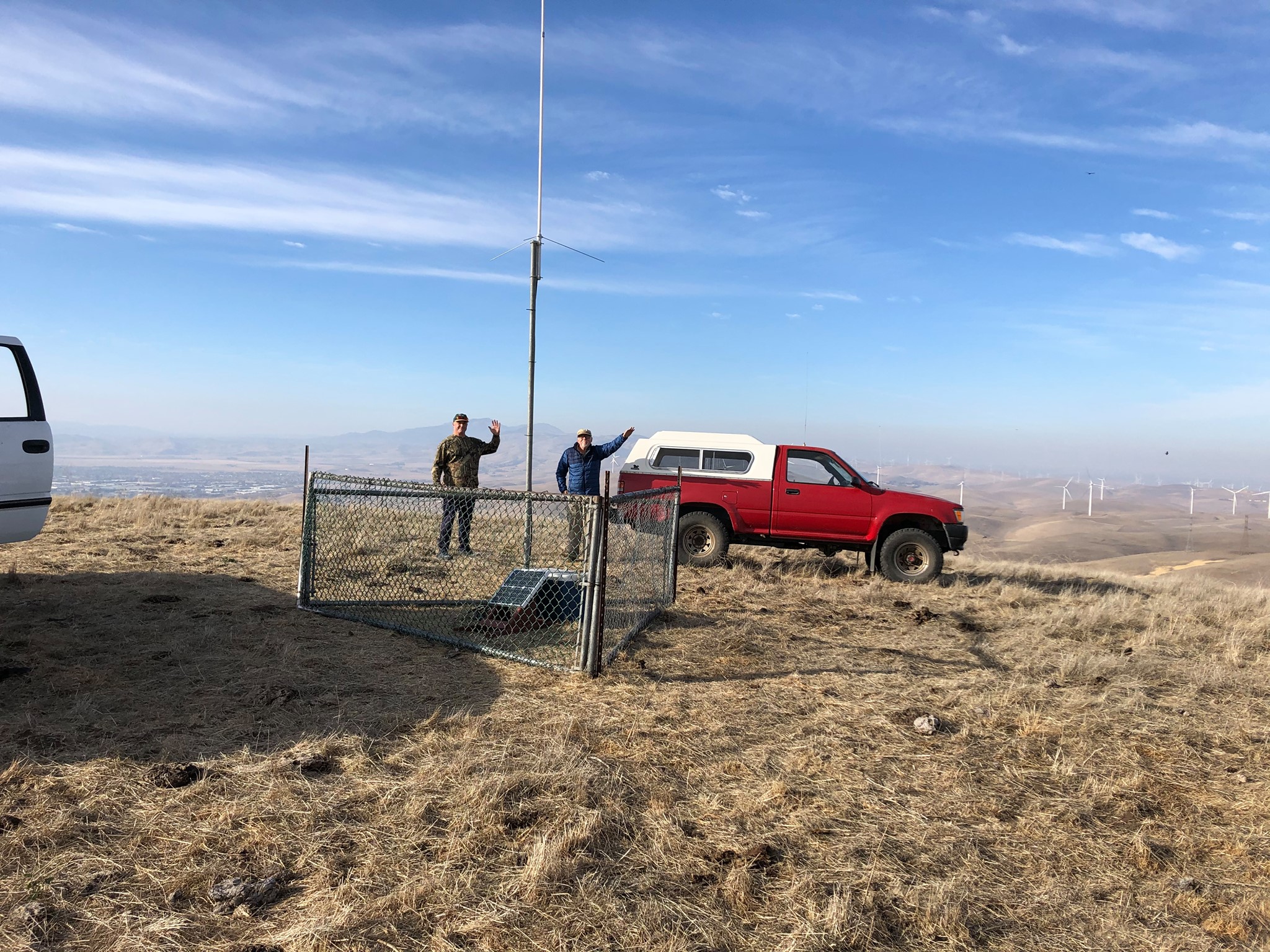
The Diamond F23A vertical 7.8dB gain antenna is mounted on a 40' Rhon mast at 2850' elevation on Wallace Ridge.
TNC also includes the HOWL KaNode for testing purposes.
The KPC-3 TNC into an ADI AT-201 Hand-Held Transceiver 5 watts to a 30 watt amplifier into the Diamond antenna.
Both the Cabin and TRACY/N stations remotely controlled from Bethel Island

CABIN PACKET STATION.. San Joaquin County--CM97--
WB6YNM-6/R WB6YNM-4/MBX on 145.05 MHz 24 hr/day
Cabin is below Wallace Ridge 20 miles South of Livermore at 2700 ft.
Solar powered station 0.60 amp charge (bright sun) to RV battery
KPC-3, IC-2AT into a Ringo Ranger ARX-2B vertical 7dB gain

PORTABLE PACKET OPERATION.... Portable operation while Hunting/Fishing using the truck radio.
WB6YNM-7/R KPC-3, Kenwood TM-621A 50 watts, Larson 5/8 wave vertical
Toshiba T1000SE running KaGOLD or a Laptop 486/66 computer

KPC-3 Pit-falls or Traps you can fall into...

Trap 1.... Turn NDWILD = OFF when you have a KaNode with your Callsign-SSID, for example WB6YNM-7. The TNC will think that a connect request with your Callsign and any SSID is trying to connect to your KaNode. The only SSID's that your KaNode will ignore are Callsigns that are actually the Callsigns programmed in your TNC. See Trap 4. The problem can be completely avoided by giving your KaNode a named callsign such as VINE for example.

Trap 2.... Your Station Callsign owns the MBX in your TNC. Changing the Callsign of the TNC when the mailbox has old messages addressed to the original call, causes mailbox ownership problems. Delete all old MBX messages in storage before you change the Station Callsign.

Trap 3.... Use 1200 baud for RS-232 ports when stacking nodes like BERRY-BERRY3. Using the RS-232 ports, two or more KPC-3's may be stacked on different frequencies and they will not transmit at the same time is ABAUD = 1200. The RS-232 port becomes another receiving and transmitting channel and if you use 9600 baud, interference can occur. TNC A transmits a signal over the air and also through the RS-232 port. If the RS-232 port is running at 9600 baud, TNC B gets an end of frame before TNC A finishes transmitting over the air. TNC B will think it is clear to send before TNC A finished.

Trap 4.... When you use a Callsign with an SSID as your base Callsign, remember that any node you connect to will use your Callsign with this SSID minus 1. Since the new SSID will be one less than your station's SSID, don't have that SSID used in your TNC or any other TNC on the same frequency. Strange problems will occur if you have this kind of SSID conflict.

Give Packet Radio a try.... A PC or Laptop, TNC, and a 2m HT and you can enjoy the fun of Packet Radio.

SHERMAN TANK OF LAPTOPS.... The Toshiba T1000SE Laptop computer. These are the Sherman Tanks of old Laptop computes. They are perfect for portable packet. They appear on eBay for auction form $10 to $20+ and are well worth it! If you grew up with DOS, it will bring back fond memories of the Good Old Days. The Toshiba T1000SE's model number is PA8003U. They use a 7.2 Volt battery pack PA8812U and the AC adapter is PA8713U or the AC adapter PA8706U is a little larger, but will also work. If you are really lucky, and can find a 2Mb memory card PA8312U, then you can create a 3Mb Hard Ram Drive and run just about any DOS based terminal program from the Ram Drive on them. Here are the specifications on the Toshiba T1000SE. If anyone has more information on the new price of a Toshiba T1000SE Laptop when they were first introduced, I would sure like the information so I could post it here.

Norm (NO7RM), another ham radio operator, purchased a new Toshiba T1000SE from Whole Earth Access in the San Jose, Calif. area on March 22, 1991 for $1029.29. He also purchased the three position battery charger and a spare battery for $271.78. Norm says that these may have been discount prices.

You wanted to know the original market price of the computer. I got mine on 7/17/90 for $1,285.93, brand new, of course. --- Mike O'Connor

Toshiba T1000SE Features

  • Has a 7.2V rechargeable NiCad battery and the supply to run the computer and charge the battery is 12 Volts. Takes a special 6mm power plug that can be purchased form Excess Solutions product #ES2238. It is a DC Coax Cable 6.3mm OD. 3.0mm ID.
  • An 80 character by 24 line backlit screen that works well in daylight and at night.
  • A full size keyboard that has a great feel with all the standard keys.
  • Uses a 80C86 CPU running at 9.4 MHz with the DOS 3.3 operating system is in ROM and after testing about 8 of them (with a good to poor battery and a 12V supply), I have yet to find one that does not boot up and operate.
  • There is 1Mb of ram. The lower 640K is for programs and the remaining 380K can be used as a Hard Ram Drive that is fast and will hold smaller sized packet terminal software, such as Packfast or HostMaster II Plus.
  • Has a standard 3.5" 1.44 Mb floppy drive.
  • Has a COM 1 DB9 serial port that runs 9600 baud for communicating with the packet TNC.

Here is a list of the files that are on the T1000SE's ROM:

Autoexec.bat   Graphics.com
Assign.com     Keyb.com
Ansi.sys       Keyboard.sys
Backup.com     Label.com
Biosver.com    Mode.com
Chad.com       More.com
Chkdsk.com     Nlsfunc.exe
Command.com    Now.com
Config.sys     Print.com
Country.sys    Restore.com
Debug.com      Select.com
Diskcopy.com   Setup10.com
Edlin.com      Sys.com
Emm.sys        Test10.exe
Fdisk.com      Xcopy.exe
Format.com

EXPERIENCE WITH THE T1000SE.... I run the Setup10.com program and set aside 380K of ram for the Hard Ram Drive and then format it with the format d: command. The T1000SE allows you to copy the autoexec.bat file over to the Hard Ram Drive D:\ and customize it. When it boots up, it looks to see if there is an autoexec.bat file on the D: drive and uses it. I was able to find my old Norton Utilities 3.1 floppies (on a 5-1/4" floppy) and copy them over to a 3-1/2" floppy so I can use them on the T1000SE. They work great. One thing I have found out is that inside the computer there is a 3/8" dia by 8" long 6V Sub battery that is usually dead. Its only function is to provide power when you change batteries so you won't lose your Ram Drive. If you leave the 12V power supply plugged in and switch batteries with he computer tuned off, it seems to preserve the Ram Drive. The dead Sub battery will drain the main battery when the compute is not in use because it appear as a dead short. I just remove the Sub battery and the computer works fine and the main battery lasts much longer. I have yet to find a Toshiba T1000XE (with a 20Mb HD and no floppy) or a T1000LE (with a 20Mb HD and a 1.44Mb floppy) that works. These two models are not worth the expense or trouble in my view.

SOFTWARE TO GET STARTED ON PACKET.... If you get a Toshiba T1000SE and want to operate 2m Packet Ham Radio with it, here are four files that will get you on the air with a KPC-3 and a 2m transceiver:

pacfast.exe The smallest packet terminal program I have found and it is very easy to use. F1 gives you info on all of the commands.
go1.bat A batch file that starts pacfast running at 9600 baud on com 1 (default setting for the T1000SE).
ted.com The tiny text editor for use on old DOS systems. It works very well and is less than 1K.
scan.com A tiny program <1K for reading text files. To view a text file, merely type SCAN name and use the arrow keys and Page Up and Page Down keys. Esc to exit.

TOSHIBA T1000.... Before I found out about the Toshiba T1000SE, I was using a Toshiba T1000 for portable packet. Here is the story of the T1000. For old time DOS users, it will bring back old DOS memories. There was is  Toshiba T1000 Web Page. If you have a Toshiba T1000 it is worth checking out.

You aren't going to believe this. I bought a $10 1987 vintage 
Toshiba T1000 laptop at the Livermore Ham Swap Meet. The Ni-Cad 
batteries were 0 Volts and completely dead and looked like a dead 
short. The first process was to hit the battery pack with 12V and 
give them a good jolt. Well, then I put a 9V charger on the T1000 
for about 4 hours. When I turned it on, it signed on and booted 
from ROM. It is running DOS 2.11 (a very primitive DOS, not quite 
stone age, but more like the bronze age).

Then I looked for some terminal program and it has none. No BASIC 
either. It does have a old 720Kb floppy drive. So I got out my 
QRZ CD and found the simplest and smallest packet terminal 
program on the CD. It is PACFAST.EXE. I tried out the program on 
my Pentium and it worked OK. Not a lot of commands, but it would 
talk to my KPC-3 TNC.

I found an old style 720Kb floppy and formatted it on the T1000. 
It worked and took a long time to format. Then I wrote the 
PACFAST.EXE program on the floppy from my 450MHz Pentium II 
using DOS commands in a DOS window. The new Win98 software is 
downward compatible to correctly write the old style floppies. 
Good news.

I hooked power to a spare KPC-3 I have and hooked a serial cable 
from the TNC to COM1 on the T1000. Now the big test. I put the 
floppy in the T1000 and did a CD A: command and got the A> prompt 
and then executed the PACFAST.EXE com1 9600N81 program with the 
attached commands and it worked! The KPC-3 signed on and I 
entered the disp command and it listed the TNC command display 
list. I have to admit that I have been working on this all day, 
but it was fun to get success.

One of the big reasons for success today is that I found the 
Unofficial Toshiba T1000 web page (no longer exists) on the Internet.
But you can get a view of it here: WayBackView.   It had 
the T1000 Quick Reference guide and many other very helpful 
information files about the T1000. I also got DOS 3.30 for the Toshiba
from the web site. It was a disk image and not a boot disk, but
using VERSION and my 486 laptop running DOS 6.22 I was able
to make a boot disk for DOS 3.30 and now the Toshiba will run
my KaGOLD software for packet radio.

Once you connect to a Network Node 
and you see a Node listed in the Node Table, for example RNO, 
that indicates that you can merely type C RNO and you should be 
connected to RNO in a few seconds. It does not matter which 
frequency you are on. The Network will automatically select the 
best Route. Also, the Node Tables are updated every few hours. If 
a Node has not responded within a certain length of time, 
approximately 4 hours, it will be dropped from the Node Table.

Here is an example. Say, you are on 145.03 and you connect to 
BUTTE. You look in the Node Table and you see RDG listed, which 
you know is on 145.05 and you want to connect to it. You merely 
type C RDG. The BUTTE node will connect to BERRY3 which will 
connect to BERRY (through the 2 foot long RS-232 cable) and then 
BERRY will connect to RDG. It is that easy. It is usually better 
to let the Network select the Route instead of making each 
connect manually.

The Route command at a Node will show you the Route Table which 
is a list of Nodes that can be connected to directly and the 
quality of the connection. A quality number of 192 is a good 
quality connection. Sometimes one Node hears another distant Node 
on rare occasions but cannot make a reliable connection. Such 
Routes will also appear, but with a low or zero quality in the 
Route Table. This prevents the Nodes from attempting an 
unreliable connection and forces the use of a less direct, but 
high quality connection.

Finally, BERRY, BERRY3, DELTA, and TRACY have a Help Command. 
With a Help H, or (H H) command you get even more help 
information. Also each of the four nodes has a 50K Mail Box for 
short personal messages. If yours or your ham contact's station 
does not have a Mail Box or he doesn't leave his TNC on all the 
time. You can put short messages to other stations in the Node's 
Mail Box. You can activate it by using the BBS command and it 
then works like any other packet Mail Box. Old messages will be 
deleted after a few weeks or a month to save space. You can also 
send Bulletin Messages to the Mail Box for all to read. Just like 
this one.

All four nodes are controlled remotely by K6JAC, Jack in 
Woodland and WB6YNM, Al on Bethel Island.


Network Node Terms, A Short Course:

NODE - The term node refers to a network node such as a G8BPQ, 
X1-J, K-Net, or NET/ROM type node. Non-network nodes such as KA-Node,
conference bridges, and digipeaters do not apply to this concept
of operation.

USER - A user is either a real, live person using a TNC to
connect to and use a node, or a server (BBS) that is basically
doing the same thing under computer control.

NEIGHBOR NODE - A neighbor node is a node that DELTA (for example) can
connect to "directly", without using an intermediate node. Note
that digipeater operation is allowed (2 max.). This means that a
node can be "out of range", but can still be considered a
neighbor since the connect path does not use any other nodes. All
known neighbor nodes ARE displayed with the ROUTES command.

DISTANT NODE - A distant node is a node that is too far away from
DELTA to connect to "directly", requiring the use of one or more
network nodes to reach. Distant nodes will NOT be displayed with
the ROUTES command.

DESTINATION NODE - A destination node is a node that DELTA
knows how to connect to - either directly (i.e. neighbor node),
or, in the case of a distant node, by using one or more
intermediate network nodes. All known destination nodes (neighbor
nodes and distant nodes) are displayed with the NODES command.

NODES AUTOMATICALLY LISTED
All neighbor nodes are destination nodes, but all destination
nodes are not necessarily neighbors. Destination nodes will
automatically appear in the nodes table by virtue of the node's
monitoring of neighbor node's broadcasts. A neighbor node will
automatically be listed in the nodes table and routes table.
Neighbor node broadcasts also contain information about other
nodes that DELTA may or may not be able to hear "directly".
These distant nodes will also be listed in the nodes table if
they pass the criteria for being listed (MINQUAL), and if there
is sufficient room for them to be listed (NETDEST)

Note: This information is the way it was about 6 years ago:
See below, the Neighbor Nodes to DELTA are: LAKOES, NAPA, PAC, & TRACY
(Quality 195). The second number is the number of nodes it has listed.
Nodes that DELTA can connect to directly sometimes are: DONNER, RDG,
LPRC2, MONO1, SNS, SIMEON, SKUNK, SWEET, YRGTN (Quality 91). All the
rest are Distant Nodes. The Node table and Routs will change with
changing conditions.

N (Node command sent to DELTA)
DELTA:WB6YNM-2} Nodes:
ALM:KB6EVD-1       CAHTO:K7WWA-8      CRANCH:WA6RWM-6    DONNER:W7TA-5
EKA:KA6ROM-2       FOT:KB6ZJS-2       GBV:KA6ROM-1       KENO:K7DDI-2
KLMTH:KA6ROM-3     LAKOES:KA7HQS-10   LPRC2:K6TAM-2      MODOC:K6JKC-5
NAPA:N6GBU-10      PAC:WA6TOW-1       RDG:KR6EY-1        RNO:W7TA-4
SHASTA:KJ6RA-2     SKUNK:K7WWA-6      SNS:K6JE-3         STOREY:KD6JUG-2
TRACY:WA6QPU-5    YREKA:KJ6RA-3      YRGTN:N7LPT-1

R (Route command sent to DELTA)
DELTA:WB6YNM-2} Routes:
1 KA7HQS-10 195 14!
> 1 N6GBU-10 195 17!
1 WA6TOW-1 195 13!
1 WA6QPU-5 195 12!
1 KR6EY-1 91 0!
1 N6LYF-10 0 0!
1 K6TAM-2 0 0!
1 KB6EVD-1 91 0!
1 W7TA-5 91 1!
1 KB6MDG-1 91 0!
1 K7WWA-6 192 2
1 W7TA-10 91 0!
1 K7WWA-8 91 0!
1 N7LPT-1 91 0!
1 K6JE-3 91 0!

The > means that this route is/was in use recently.

ROUTE TO A DISTANT NODE: If for example, you want to see what route
will be taken to a distant node that DELTA can not connect to directly,
you can enter the N RNO (assuming you want to connect to RNO). Here is
what you will see. This info tells you that the first choice will be to
connect to NAPA:N6GBU-10 and hand over the connect request to NAPA. Then
NAPA will take over from there. If NAPA fails, then LAKOES:KA7HQS-10 will
take over etc. If none of the routes succeeds, you will get a failure reply.

N RNO (Command sent to DELTA)
Routes to RNO:W7TA-4
113 4 1 N6GBU-10
112 5 1 KA7HQS-10
110 4 1 WA6TOW-1

SUGGESTED USAGE:
Let's assume you want to talk to a distant station that can hear some
distant node, for example MODOC. And let's assume you can hear BERRY.
After you connect to BERRY, look in the NODE list. If MODOC is listed,
then enter the command C MODOC. This will allow the network to
automatically select the best route from BERRY to MODOC. This will
usually work much better than doing your own node hopping, selecting
the intermediate nodes between BERRY and MODOC. Give it a try.

USER COMMANDS at DELTA & TRACY:
BYE             causes this node to disconnect you
BBS             [/S] causes internal connect to BBS
CONNECT         [[port] call|alias [/S]] to host or another node or enduser
CQ              [UI text]   puts you in CQ mode
CQBC            enables UI broadcasting for CQ command
INFO            Information about the station location etc.
LINKS           Status of level 2 links
HELP            List of commands available
HELP HELP       List of commands with one line explanation of each
MHEARD          [LONG|SHORT]  Displays list of callsigns heard
NODES           [{* | alias | call}]
PORTS           Displays message about radio port
ROUTES          Displays neighbors
STATS           Displays L3 and L4 information
USERS           Displays users connected to node
SYSOP           allows login of authorized sysop

MANUAL SYSOP NODE & ROUTE COMMANDS I Use: 
ADDNODE         [alias:]call port neighbor [via digi1[,digi2]] qual [obscnt]
ADDROUTE        port call [via digi1[,digi2]] quality [!]
DELNODE         [alias:]call port neighbor [via digi1[,digi2]]
DELROUTE        port call [via digi1[,digi2]] qual

K-NET SETTINGS & CURRENT VALUES I have set:
CTEXT TEXT      Text sent to someone connecting to NETALIAS (usually blank)
INFO TEXT       Text up to 128 characters sent in response to INFO command
IDINT       90  Number of minutes between node id (0-255)
L3TTL       25  Max # of L3 hops (0-255)
L4DELAY      5  Level 4 acknowledge delay in seconds (1-60)
L4LIMIT    900  No activity timeout in seconds (0-65535)
L4N2         4  Level 4 retry count (1-127)
L4T1       120  Level 4 retry timer in seconds (5-600)
L4WINDOW     4  Max # of unacked packets for each circuit (1-127)
MINQUAL    120  Minimum quality in order to add to Nodes table
NODESINT    90  Number of minutes between node broadcasts (0-255)
OBSINIT      4  Initial L4 obsolescence value (1-127)
OBSMIN       3  Minimum obsolescence count in order to broadcast (1-127)
QUALITY 255/120 Port quality

NET SETTINGS & MEMORY ALLOCATION:
NETcall   WB6YNM-2     WA6QPU-5  The station's callsign
NETAlias  DELTA        TRACY     The Node's Name
NETBuffs  40           40        Number of buffers for node info
NETCIrcs  8            8         Number of Network Circuits available
NETDests  60           40        Maximun # of destination nodes
NETLinks  15           15        Maximun # of uplinks, downlinks, & crosslinks
NETRoute  30           25        Maximun # of routes to neighbor nodes (32 Max possible)
NETUsers  8            8         Maximun # of uplinks & downlinks from the node
Following is an old list of California, Nevada & Oregon Net Work nodes on 145.05 that handle
packet KBD-KBD traffic. The list is each packet station's response to the Info command. This list
is about 4 years old.
ALM:KB6EVD-1}
LOCATED BETWEEN SUSANVILLE AND LAKE ALMANOR ON HAMILTON RIDGE AT 6955 FT.
COURTESY OF LASSEN AMATEUR RADIO CLUB
KEYBOARD TRAFFIC ONLY
NO BBS TRAFFIC

APPLE(N6DPP) CHANNEL A Ka-NODE
Camino, CA (APPLE HILL) - located 8 miles east of Placerville - elev. 3300 feet
AUKUM:W6HMT-7}
RUNNING IC-28H MFJ-1270 -- ANT. 80 FT. OVER LOOKING RIVER PINES, PYLMOUTH

BIH:W6IY-1
VH=13.4
VL=13.2
T=49
I=00.0
R=42735
BIH:W6IY-1  Bye Connect Heard Info Nodes Routes Users
BENCA:WH6IO-7}
JNOS version 1.11f (80386)
Welcome to a BBS for the East Bay area, operated by
Bob, WH6IO. This system runs a version of the WG7J/N5KNX
JNOS Tcp/Ip program.   It provides both 'regular'
BBS/mbox services and many tcp/ip services. This BBS is
sanctioned to operate as a part of the East Bay LAN by the
Northern California Packet Association (NCPA) and the packet
Sysops of Northern California (PSNC). This station forwards
ax.25 traffic to N4ZIJ, WA6ZTY, WB7AWL, KJ6EO, WA6EWV W8AKF,
AA6HF, N8DA AND IW7CHV. Internet traffic is forwarded into the
net direct.  The internet hostname of this system is benicia.ampr.org.
BERRY:K6JAC-4}
On 3000' Berryessa Peak serving the Sacramento Valley 145.05 MHz
BERRY3:WA6QPU-3}
Berryessa Amateur Radio Klub (BARK) 3000' Berryessa Pk. 145.03 MHz
CAHTO:K7WWA-8} ERRS
North Coast Packet System
145.050 Keyboard Node
Serving Mendocino & Southern Humboldt Counties from 4200' on Cahto Peak
Courtest of K7WWA
COPPER:W7RU-5}
Located from top of Homestead Ridge near Copperopolis, Ca. 45 miles E of
Stockton.
CRANCH:WA6RWM-6} The Sea Ranch Sonoma Co. Elev. 375 Feet 1/4 mile From Ocean
X1J THENET 25WATTS

DELTA:WB6YNM-2}
Network Node on Bethel Island (Solar Power)
DIA:K6UCB-2} 145.05 MHz - Mt Diablo - Keyboard Only PLEASE !!

DONNER:W7TA-5} -*- -*- -*-  SNARS Sponsored - Keyboard Node DONNER  -*- -*- -*-

EKA:KA6ROM-2} LOCATED 20 MILES EAST OF EUREKA, CA. @ 4200 FT.
LATITUDE 40-52-22N      LONGITUDE 123-43-58W
FOR KEYBOARD TO KEYBOARD .....KA6ROM / N6AFT

ELDOR:W6PJD-3}
Located in El Dorado County serving the Western Slope of the Sierra.
FOT:KB6ZJS-2} LOCATED NORTH FORTUNA-COURTESY OF KB6ZJS
145.01
FOWLER:WB6MFV-3} FOWLER Peak near Angles Camp Ca. at 3,000 feet.

GBV:KA6ROM-1} LOCATED PRATT MT 9 MI EAST GARBERVILLE, CA. @ 3820 FT.
145.05 KEYBOARD

JOCO:WB6YQP-2} *
Located On The KROG Tower SW Of Grants Pass, OR
Part Of The Oregon Emergency Keyboard Network
No BBS or TCP/IP Forwarding
Contact WB6YQP For More Info

KENO:K7DDI-2}  THIS IS A KEYBOARD-TO-KEYBOARD AND REAL-TIME EMERGENCY NODE.
PLEASE DO NOT USE THIS NODE FOR AUTOMATED TRAFFIC.

KLMT:NV7N-1}
KLAMATH FALLS, OR.
THIS IS A KEYBOARD TO KEYBOARD AND REAL-TIME EMERGENCY NODE.
PLEASE DO NOT USE IT FOR BBS, TCP/IP, OR OTHER AUTOMATED TRAFFIC.

KLMTH:KA6ROM-3}
GEOTN:W6DHN-2}
W6DHN packet station in Georgetown, CA at 2800 feet.  KA-Node name is GTOWN.
GRSVLY:KF6DQU-4}
node at 145.05 Mcps in Nevada "The original Nevada!"

LAKOES:KA7HQS-10} {145.05 MHZ
LAKE COUNTY OES  SIEGLER PEAK
SERVING LAKE, MENDOCINO, & COLUSA COUNTIES.
FOR KEYBOARD & MBX USE ONLY.   ENJOY!

LASSEN:KJ6MD-2}
SHAFFER MTN. EL 6735, NEAR SUSANVILLE, CA, LARC, (CDF VIP)
KEYBOARD TRAFFIC ONLY
NO BBS TRAFFIC

LPRC1:K6TAM-1}
Overlooking the Santa Clara Vly. from Mt. Loma Prieta.
Courtesy of the member supported Loma Pioneer Rptr. Club.
An open membership organization.

MFR:KA0DFN-1}
MLODE:W6ABC-9}
This node is located in Placerville, Ca. Any questions please email N6QDY.

MODOC:K6JKC-5}
LIKELY MTN. EL 7377, LARC, (CDF-VIP)(LMU)
KEYBOARD TRAFFIC ONLY
NO BBS TRAFFIC

MONO1:KB6MDG-1} MONO1
MTVACA:N7SCQ-6}
145.030 Mt Vaca South / N7SCQ's email: tilt@cwnet.com

NAPA:N6GBU-10} {145.05 MHZ
CDF/VIP MOUNT SAINT HELENA
SERVING NAPA, LAKE & SONOMA COUNTIES
FOR KEYBOARD & MBX USE ONLY.  ENJOY!

PAC:WA6TOW-1} PAC
PENN:KF6DQU-5}
Located near Penn Valley, CA 95946 on Vandervere Mtn. on 145.05 Mc at 1900'
PPINES:W6LSW-8}
W6LSW packet station in Pollock Pines at nearly 4000' KA-node PINES1
PLACE:N6QDY-5}
{145.05} NET NODE in Placerville, Ca. @ 3100' elevation.

RDG:KR6EY-1} From 18 Miles West of Redding
On Shasta Bally at 6200 Ft. - 145.05 MHz
With a Motorola Micor 60 watt radio on battery and float supply.

RNO:W7TA-4}   -*- -*- Keyboard Packet Node   Reno Nevada 145.05 Mhz -*- -*-

SIMEON:N6LYF-10} ARES / RACES  USE SLOBBS FOR INFORMATION

SHASTA:KJ6RA-2} 145.05 Located near Mt. Shasta
Operated by The Patio Radio System

SNS:K6JE-3} SNS

SKUNK:K7WWA-6} MARA
North Coast Packet System
145.050 Keyboard Node
Serving Mendocino County from 3300' on Laughlin Ridge (Willits)
Courtesy of K7WWA
STH:W6CO-3}

STOREY:KD6JUG-2} KD6JUG Packet Switch, Mark Twain, Storey Co., Nv. 89403
Commands are basically the same as NET/ROM, but to connect to another
normal station (not another node), you must specify a port number before
the callsign. Use PORTS command to list available ports. The BBS command
connects you to the associated Mailbox.

SWEET:W7TA-10}  -*- -*-  SWEETWATER (W7TA-10)  Sponsored by SNARS  -*- -*-

TRACY:WA6QPU-5}
Wallace Ridge about 15 Mi South of Tracy at 2850' (Solar Power)

WGP:WB6LMA-4}
Located 5 miles west of Grants Pass.

WLKR:WA7JNR-2} THIS IS A KEYBOARD TO KEYBOARD NODE.
PLEASE DO NOT USE IT FOR BBS, TCP/IP, OR ANY OTHER AUTOMATED TRAFFIC.
WOLF:KG6BAJ-4}
From atop Wolf Mt in Grass Valley, this is WOLF node. 100 watts K-net system

YREKA:KJ6RA-3} 145.05 Located in Yreka
Operated by The Patio Radio System
This is a Z80 based node running TheNet + an IP router.
The basic commands are the same as the standard TheNet code,
but with many additions. Briefly the main extras are:
BBS, DXcluster, Host - These commands connect to nominated stations
Links, Stats, IPstat - These give info on the node state
MHeard, L3MHeard     - The most recent stations heard
The Talk command allows stations to hold a multi-way conference.

YRGTN:N7LPT-1}  Located 22 mi south of Yerington, NV at 8281 ft....
YUBA03:N6CDF-5}
Good Node Hopping.
TTUL...73...<Al>...SK
Note: TTUL...73...(Al)...SK is Ham Radio jargon for:
TTUL... = Talk To U Later...
73... = Best Regards...
(Al)... is me...
SK = End of Message in Morse code.
(I have "TTUL...73...(Al)...SK" programmed into my "AnyKey" keyboard and it is only 1 key stroke).
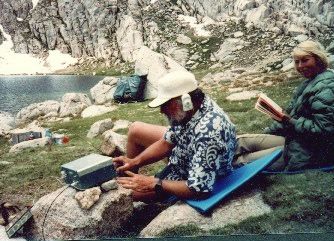
Here, WB6YNM (aka Varmint Al) is operating QRP using an HW-8 running 5 watts on battery power. The batteries are charged with a tiny solar panel. This was on a backpacking trip to 11,500 ft. Sky Blue Lake about 15 miles south west of Mt. Whitney. A 40m dipole was strung between rocks. There are no trees at this elevation. WA6QPU checks out the operation as she looks up from her book.

FOR PEOPLE INTERESTED IN HAM RADIO.... Here is a message that Bob sent to Tom that explains getting into Amateur Radio very well.
Hi Tom,
My name is Bob and I'm a friend of Varmint Al (Al Harral) and he sent me your message requesting some information on getting your license again. I recently (in the last 6 months) got back into amateur radio after being off for over 30 years. There is no grandfather clause giving you credit for holding a novice license at one time, so you will have to take all the tests over again. There's many different levels of licenses that give you different options on what type of radio or bands or what you prefer to do (rag chew, local repeaters, DX (talking over the world), teletype, moon bounce, etc.).

When Al urged me to get my license again I ordered some books from the ARRL website and started studying. This website will give you info on where the tests are being held locally (and there are some in your area) and the name of the head examiner who can give you further info on dates, times, and possibly a local amateur radio club having meetings in your area.

The starting license now is the (no Morse code) "Technician" license. All that is required is for you to take the "Novice" and "Technician" written tests which has approx. 30 questions each, mainly rules and regulations. You can miss up to 5 or 7 questions and still pass the test. You can buy a Technician Test book and pass the tests within 2 weeks of studying it. This license allows you to talk (or work) the VHF/UHF frequencies which is mainly local repeaters and gives you access to talk to many hams throughout the bay area and N. Calif.

If you can still remember some code, or like CW, after you take the above test, (or at the same test meeting) you can take a Morse code test. The starting level is at 5wpm. If you have a tech license and pass the 5wpm you are upgraded to the "Tech Plus" license This upgrade allow you to use Morse code (cw) or voice (on the 10 meter band) in HF frequency bands. The HF bands are where you can talk all over the world. With the technician plus license you get small sections on the HF bands to work. But it's a start. And after the Tech Plus license, there's the General Class License, then the Advanced, and then the top, Amateur Extra Class. Each of these gives a little more bands to work then the other. Each of these require (right now) increasingly difficult written tests, and 5 wpm Morse code exams.
I'd really recommend you get your Tech. Plus license since the FCC has announced that they will restructure the license classes next year, and that the Tech Plus licenses will be no more and anyone holding them will be upgraded automatically once the restructuring starts. Here is more info. AA9PW Amateur Exam practice pages.

Hope this helps a little, great fun talking all over the world. Here are some websites that will help you. One has the complete test pools and you can practice taking the tests right on the net. When you get so that you are passing the tech license tests and only missing 3-5 questions, call your local examiner and take the test. The ARRL web site gives a lot of info on locations and such. Also search for Amateur Radio licenses, and if you wish, Morse code, and a lot will pop up. Each one of these sites have references to go to a lot of others that will help you.

Good luck, and see you on the air. Bob WB6SZC

Jesse's Hunting & Outdoors Topsites List

image linking to 100 Top Small Game Sites

Vote for Us at The Outdoor Lodge's Top Hunting Sites

image linking to 100 Top Guns and Gear Sites


Ham Radio Links  

This Radio Amateur Ring Site is Owned by
Varmint Al's Ham Radio Page
[ Previous 5 Sites | Skip Previous | Home Page | Previous | Next ]
[ Skip Next | Next 5 Sites | Random Site | List Sites | Join Ring ]

This site is a member of WebRing.
To browse visit Here.